GitLab fine-grained personal access tokens, one action at a time
A GitLab fine-grained token's scope list says only "granular", so gitlab-mcp-server derives what each of its 1,098 actions needs from what GitLab 19.4.1 declares, and finds 58 that no grant can reach.
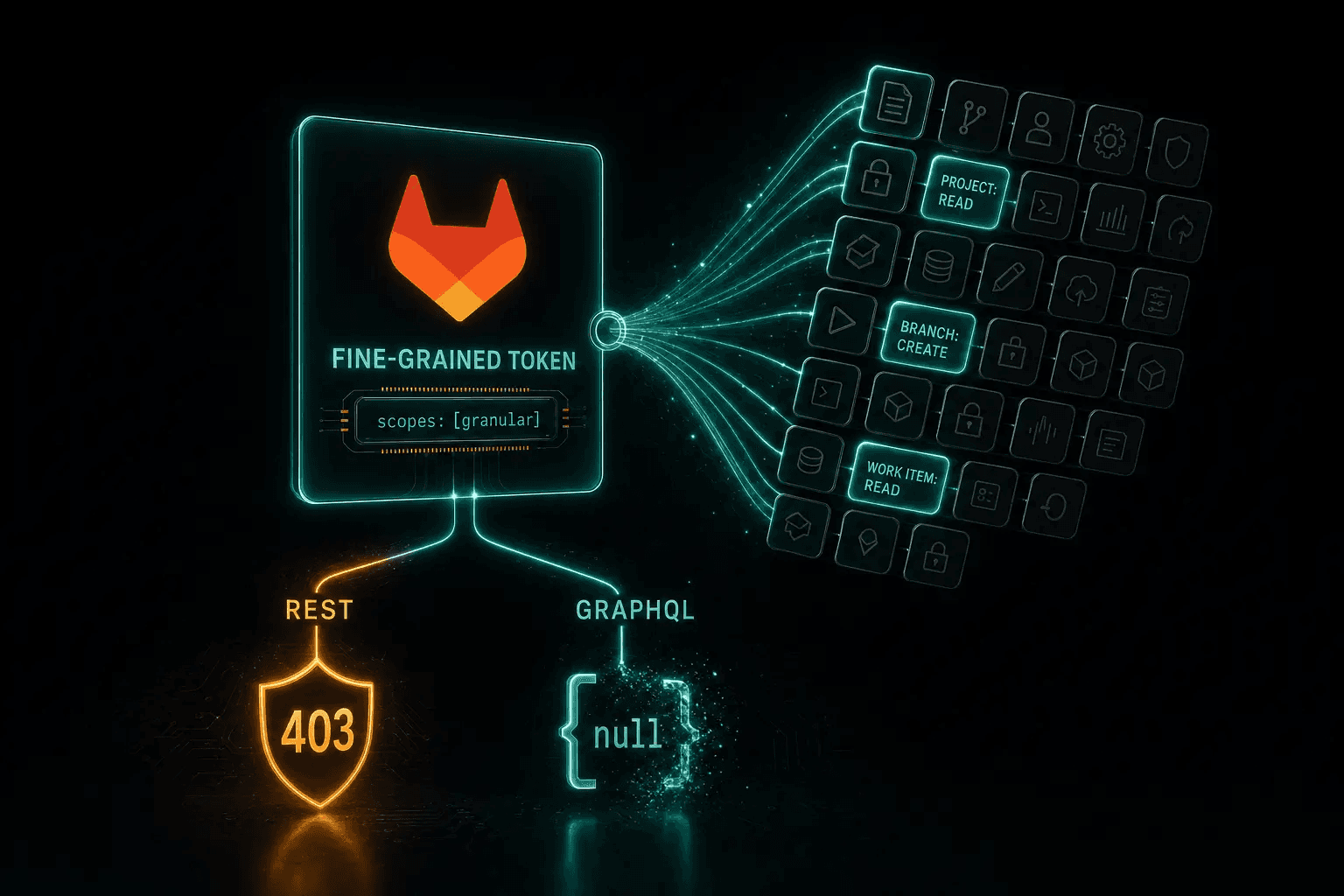
Ask GitLab what a classic personal access token may do and the answer is in the token’s own description: "scopes": ["read_api"]. Ask the same of a fine-grained token on GitLab 19.4 and you learn that it is fine-grained, and nothing else. Its scope list is the single value granular; what it may actually do is a grant of named permissions that, on 19.4, the token’s own endpoint does not even return.
That is a problem for any API client, and a sharp one for gitlab-mcp-server, which exposes GitLab’s API as tools for clients over the Model Context Protocol and has to tell each session which of its catalog actions that session’s token can run. This post is about how I made it answer that question before anything is sent to GitLab, and the merge requests to GitLab that came out of it.
TL;DR: what a fine-grained token needs, per action
5 key points- A GitLab fine-grained personal access token (generally available since 19.2) carries a grant of named permissions held at a boundary, not scopes. Its scope list is just
granular, and the grant cannot be changed after the token is created. - GitLab judges every request against the grant, but its two APIs answer differently: REST refuses with a
403that names the missing permission, while GraphQL answersnullor an emptied list, with no error about the token, wherever the grant does not reach a type, and always where a type declares neither a fine-grained permission nor a reason to skip the check. At 19.4.1, GitLab’s own pending list holds 862 undeclared types and 61 mutations. - gitlab-mcp-server derives what each of its 1,098 actions needs by joining the requests its handlers send with the permissions GitLab 19.4.1 declares for every route, type and mutation, recorded from a booted instance. A GraphQL answer is judged along its answer spine: one position on it that declares nothing, or that the grant does not cover, leaves the whole answer null or empty.
- 58 actions are out of reach of every fine-grained token at 19.4.1, and 10 more are served with parts that may be empty. The server withholds the 58 before a request reaches GitLab and says why, and adds a note to an answer GitLab may have left partly empty. When it can read the grant and the instance runs 19.4, it also answers a call outside it by naming the missing permission in GitLab’s own words.
- The work produced six merge requests to GitLab about
granular_scopes, five merged by 9 October 2026: on GitLab.com a fine-grained token can now read its own grant fromGET /personal_access_tokens/self, and creating or rotating your own token returns the new grant.
What is a GitLab fine-grained personal access token?
A GitLab fine-grained personal access token holds a grant of named permissions, each applied at a boundary, instead of a list of scopes; it has been generally available since GitLab 19.2, and the grant cannot be changed after the token is created.
GitLab introduced these tokens as a beta in 18.10. A grant lists resources and permissions such as Project: Read, Merge Request: Approve or Pipeline: Read. The token creation page groups them on three tabs, Group and project, User and Global. Over the API, a grant is a list of scopes, each with an access level (personal_projects, all_memberships, selected_memberships, user or instance), its permissions, and for selected_memberships the projects or groups it covers.
GitLab’s fine-grained personal access tokens documentation describes two checks on every request: “The token has a permission for the operation, on the resource in the request path” and “You, as the token owner, can perform that operation.” The token’s scope list takes no part in it. GitLab’s create service writes scopes: [GRANULAR_SCOPE], granular: true on every fine-grained token, where GRANULAR_SCOPE is :granular.
On 19.4, the token’s own endpoint shows exactly that:
GET /
Classic token Status 200 OK
{
  "name": "ci-bot",
  "scopes": [
    "read_api"
  ],
  "granular": false,
  "active": true
}
The scopes say what the token may do.
Fine-grained token, GitLab 19.4 Status 200 OK Uninformative answer
{
  "name": "ci-bot",
  "scopes": [
    "granular"
  ],
  "granular": true,
  "active": true
}
The scopes say the token is fine-grained, and nothing else.
Two more facts shape everything below:
- A grant cannot be changed after the token is created. No route, mutation or settings page edits one, and rotating a token copies the old grant to the new token. A missing permission always means a new token.
- Organizations can require them. On GitLab Self-Managed, an administrator can stop users creating or rotating legacy tokens after a date; existing legacy tokens keep working until they expire. On GitLab.com, GitLab documents a setting that lets the Owner of a top-level group block legacy personal access tokens from the group’s resources after a date; they keep working outside the group. Enforcement was introduced in 18.11 behind feature flags and has been generally available on Self-Managed since 19.2, while the GitLab.com setting is still behind its flag. Service account, group and project access tokens are exempt.
REST tells you, GraphQL does not
On REST, a call outside the grant is explicit. Take a token granted Project: Read on a private project, but not Branch: Read, and list the project’s branches:
GET /
- PRIVATE-TOKEN: <fine-grained token: Project: Read on a private project, no Branch: Read>
GitLab 19.4.1 Status 403 Forbidden
{
  "error": "insufficient_granular_scope",
  "error_description": "Access denied: This operation requires a fine-grained personal access token with the following project permissions: [Branch: Read]."
}
The refusal names the permission to grant.
The route’s declaration says the same thing ahead of time: GET /projects/:id/repository/branches declares read_branch at the project boundary, and POST on the same path declares create_branch. The permission is named by its display label rather than the identifier a token is created with, but a client can at least tell its user what to grant. On a public project with a public repository, the branch list is served without Branch: Read, because GitLab grants a fine-grained token every permission an anonymous visitor holds there.
GraphQL is silent. GitLab denies a fine-grained token at every GraphQL type that declares no fine-grained directive, as a comment in granular_scope_authorization.rb puts it: “if no gPAT directives are defined, granular tokens deny access while legacy tokens fall through to their existing authorization” (GitLab’s source calls a fine-grained token a granular PAT, or gPAT). A denied object is answered as null, and a list drops it, with no error. Where the field cannot be null, the null spreads to the nearest parent that can be null, and the only error is GraphQL’s generic “Cannot return null for non-nullable field”, which says nothing about the token.
Mutations are the exception, and never silent: one that declares a permission the grant lacks is answered with the field null and the same sentence REST gives, in errors, and one that declares nothing with GitLab’s generic “The resource that you are attempting to access does not exist or you don’t have permission to perform this action”. The silent cases are the types.
The clearest case is an epic. GitLab declares WorkItem at the project boundary only, and an epic is a group’s work item, so no boundary resolves for it. A token granted Work Item: Read and Work Item: Update on the group reads the epic as null, while a classic token reads it:
POST /
query { workItem(id: "gid://gitlab/WorkItem/<epic>") { title } }Classic token Status 200 OK
{"data": {"workItem": {"title": "<the epic's title>"}}}Fine-grained token, Work Item: Read and Update on the group Status 200 OK Wrong answer
{"data": {"workItem": null}}No error. The same token can rename the epic: the mutation commits and answers workItem: null.
A group’s epic list does the same with nodes: []. Another GitLab user reported exactly that in gitlab-org/gitlab#630483 in September, noting that the failure is silent and easy to misread as no matching epics. The same pattern shows up on namespace(fullPath:), which answers null, and on a project’s branch rules, which come back without their items.
This is not a handful of types. GitLab keeps its own list of what still has no declaration, config/authz/graphql/authorization_todo.txt: 862 types and 61 mutations at GitLab 19.4.1, and 859 and 42 on master on 9 October 2026. GitLab is working through it, and its planning issue gitlab-org/gitlab#631631 describes the same behavior from its side: an object type without the directive “resolves to nil for granular tokens, nulling query data or erroring mutations.”
Answering it ahead of time, per action
So I made the server answer it before the first request. ADR-0024 splits the answer into three facts with three owners, joined by a generator:
- What each action requests is the repository’s, derived from the handlers.
- What GitLab demands of each route and GraphQL element is GitLab’s, recorded from a booted GitLab.
- How an action’s requests combine (all of them, one of several, or one only with some input) is the handler author’s, declared at the call site.
The ADR rejects the alternative of writing the permission by hand on each action: “1098 literals across some 180 packages”, rewritten whenever GitLab renames a permission. GitLab 19.0 renamed 66 permissions in existing tokens (read_user_ssh_key became read_ssh_key, for one), and 19.4.1 still lists 71 permissions as deprecated.
What each action sends
cmd/gen_action_grants walks every catalog action’s handlers and the client-go methods they call, and writes what each action sends to action-requests.json. Of the 1,098 actions, 76 touch GraphQL. branch.create, for example, sends one mandatory POST /projects/:id/repository/branches; custom_emoji.create sends the createCustomEmoji mutation and selects createCustomEmoji.customEmoji.
What GitLab declares
The second input is the record taken from a booted GitLab. What building a GitLab MCP server taught me about GitLab’s API describes it; in short, a command in the repository, cmd/gen_api_live, boots a released gitlab-ee image and asks the loaded application, rather than parsing its source or its OpenAPI document. Since its schema version 4 the record also carries authorization: at 19.4.1, 1,892 of the 2,152 REST routes declare a permission, and the rest either declare a reason to skip the check or sit on GitLab’s todo list; on GraphQL, 260 object types and 645 mutations declare one. What they declare are GitLab’s internal permissions, and a token is granted them through GitLab’s assignable permissions, 857 at 19.4.1, each covering one or more of them (Pipeline: Update covers cancel_pipeline, for one).
The join, and the answer spine
For REST, an action’s requirement is its routes’ declarations. GraphQL needs one more idea, because a denied position does not fail the request: it becomes null, and what that null costs depends on where it lands. The generator judges each document along its answer spine, the chain of objects the answer hangs from. It starts at the root field (for a mutation, at the first object its payload selects) and follows the one object each position selects, as long as nothing but connection framing is selected beside it. A position that declares nothing is fatal when its null lands on the spine, and off the spine it only empties a field. A declared position the grant does not cover is judged the same way: on the spine it withholds the action, and off it the field comes back empty, which is what “depending on the grant” means below.
Two of the server’s actions show both outcomes:
group.epic_getquery namespace (WorkItems.GetWorkItem)
namespaceNamespace declares nothing (On the answer spine) On the spine: its null is the whole answer.workItemWorkItem not reached (On the answer spine)authorUserCore not reachedfeaturesWorkItemFeatures not reachedworkItemTypeWorkItemType not reached
Not reachable at 19.4.1: GitLab declares no fine-grained permission for Namespace, which the answer is made of.
Legend: On the answer spine
Abridged: the action selects 32 positions; the tree shows the spine and three fields under it.
vulnerability.getquery vulnerability (queryGetVulnerability)
vulnerabilityVulnerability declared (On the answer spine) Vulnerability: Read at project.title, severity, ...Scalar fields.issueLinks { nodes }VulnerabilityIssueLink served empty Always: the type declares nothing.dismissedByUserCore needs another permission Empty without User: Read at user.projectProject needs another permission Empty without Project: Read at project.
Served: the answer is there, and up to 11 of its parts can be empty (3 always, 8 depending on the grant).
Legend: On the answer spine
Abridged: the action selects 21 positions; the tree shows three of the 11 parts that can be empty.
A write can lose its answer the same way. custom_emoji.create sends a mutation that declares Custom Emoji: Create at the group, but its payload selects CustomEmoji, which declared nothing at 19.4.1. So the emoji is created and the answer is null: the reference page says “the write commits and its answer is lost”. GitLab has since declared CustomEmoji in gitlab-org/gitlab!260586, another contributor’s merge request for 19.5, merged on 8 October 2026, which is a good illustration that the table moves with GitLab’s releases.
What the walk cannot read is declared by hand with a category and a reason, and a declaration that answers nothing is itself a finding. The output is a table compiled into the server (table_gen.go), generated and checked in CI against the record, plus a gitlab-mcp-server fine-grained permissions reference page with one row per action: what it needs in GitLab’s words, at which boundary, and which parts may be served empty.
58 actions out of reach of every fine-grained token at GitLab 19.4.1
The join finds all 58 among the GraphQL actions, and each is out of reach for one of four reasons:
By area they are 15 epic actions, 12 work item actions (with their saved views and types), 12 achievements, 3 custom emoji, 2 CI catalog, 2 target branch rules, 1 branch rules and 11 security actions. Another 10 actions are served with parts that may be empty (vulnerability reads and writes, Terraform state, two epic note updates). On master on 9 October, 54 of the 58 are still blocked by a type or mutation on GitLab’s pending list; the three custom emoji actions are not, since CustomEmoji has left it, and group.epic_create waits on gitlab-org/gitlab!259765.
What a client is told
The server learns the token’s kind from GET /personal_access_tokens/self. A scope list of exactly ["granular"] is read as unknown authority, never as read-only, so a fine-grained token is not narrowed like a read_api token.
Then one of two phases applies. The server falls back to phase A when any of these holds: the token cannot read its own grant (no Personal Access Token: Read), there is no readable version (no Metadata: Read), the instance runs a release other than 19.4 (the prerelease of the next minor, 19.5.0-pre, which GitLab.com reports, is the one exception, below), the grant names a permission the table does not know, or the grant is larger than 1 MiB or 1,000 scopes or holds a scope the server cannot read without guessing. If GitLab does not answer the first read of the grant or the version, the session also starts in phase A, until a revalidation reads them.
| Phase | A, grant not evaluated | B, grant evaluated |
|---|---|---|
| When | Any of the cases above | The grant was read and the instance runs 19.4 |
| Listing | Every action except those no fine-grained token can reach | Only the actions the grant reaches, on every listing surface |
| A call outside the grant | Sent to GitLab, which judges it | Answered before anything is sent, except a read GitLab would serve on a public project or group |
GitLab.com reports 19.5.0-pre, the minor after the recorded one, so a session there is shown what its grant reaches at 19.4.1, and every call not withheld from all fine-grained tokens goes to GitLab, which has the last word on anything that changed in that milestone. The grant is re-read on every revalidation, every 15 minutes by default, and a failed re-read keeps the previous answer. For anyone running the HTTP mode for a team: the grant is never a cache key. It is a value the caller mints, so one server serves classic and fine-grained credentials and narrows per request.
In phase B, when the grant does not reach an action, the answer names the permission in the words of GitLab’s token creation page:
action "branch.create" exists but this fine-grained personal access token was not granted what it needs: the project permission [Branch: Create], as GitLab 19.4.1 declares it. Create a fine-grained token that grants it, or use a classic token with the api scope (an existing one, on an instance that no longer lets you create them), where the group does not refuse classic tokens.
When no fine-grained token can reach it at that release, the answer says why and points to the way out:
action "custom_emoji.list" exists but is not available to a fine-grained personal access token: GitLab 19.4.1 declares no fine-grained permission on the GraphQL type CustomEmoji this action reads, and removes the items from such a list. Use a classic personal access token with read_api for reads or api for writes (an existing one, on an instance that no longer lets you create them), where the group does not refuse classic tokens.
Both close with one more sentence, telling the client not to conclude that the feature is missing, since the action exists and only the credential cannot run it. On the default surface, where the client calls gitlab_execute_action, each text is prefixed with gitlab_execute_action:. The classic way out is qualified for both forms of enforcement, because on an enforcing instance a client may not be able to create a classic token, and in an enforcing group one may not work. A served answer that GitLab may leave partly empty carries a note that names the empty part as a GraphQL selection, vulnerability { issueLinks { nodes } } for example, and says “Empty there does not mean there is nothing.”
All of this ships in gitlab-mcp-server 3.2.0, released on 9 October 2026. On 3.0.0 and 3.1.0, the server read the scope granular as one that cannot write, so a fine-grained token granted Personal Access Token: Read was served only its read-only actions, while one without it, whose scopes could not be read, was served every action and GitLab judged each call. HTTP mode with OAuth refused both at the door.
Classic tokens, from the same record
The same derived requests answer the classic question too. GitLab’s rule is read_api for a REST GET or HEAD and a GraphQL query, api for anything else, with declared exceptions.
ADR-0026 followed from seven actions on which two questions disagreed, whether the action writes and which scope GitLab demands: template.lint is a read sent as a POST, which GitLab refuses to read_api, while package.download sends only GETs but writes a file on the server’s machine, so it was withheld from a read_api token that GitLab serves it to. So a read_api token is now served what GitLab accepts from it: 525 of the 1,098 actions, 61 of them in the administration groups the server lists only to a token that also carries admin_mode. Before, it was served the actions the catalog classifies as read-only. How GitLab refuses a token that lacks a classic scope, and the challenge it does not send, is in the previous post.
Fixing the API it reads
The server reads a token’s grant with two requests, because client-go does not model the grant and on 19.4 GET /personal_access_tokens/self does not present it: it asks the self endpoint what the token is, then GET /personal_access_tokens/:id for the grant, on GitLab.com as well. That gap, and a few around it, became the merge requests below: eight I opened in gitlab-org/gitlab from 5 to 8 October 2026, and one in client-go, open since 27 September:
| Merge request | State | What it changes |
|---|---|---|
| gitlab-org/gitlab!259764 | Merged 7 October, on GitLab.com | GET /personal_access_tokens/self returns the token’s own granular_scopes, as the get-by-ID, list and rotate routes already did |
| gitlab-org/gitlab!260276 | Merged 8 October, on GitLab.com | Creating your own token, rotating your own, and rotating an enterprise user’s token on GitLab.com return the new token’s granular_scopes |
| gitlab-org/gitlab!260277 | Merged 8 October, on GitLab.com | The impersonation token routes (list, get, create) return granular_scopes |
| gitlab-org/gitlab!260929 | Merged 9 October | Rotating a group or project service account token returns granular_scopes |
| gitlab-org/gitlab!260930 | Merged 9 October | Documentation: the history lines that gitlab-org/gitlab!260276 and gitlab-org/gitlab!260277 added now say 19.5, not 19.6 |
| gitlab-org/gitlab!260958 | In review | An administrator can create a fine-grained token for a user, and GitLab’s User tokens API page documents granular_scopes as a request attribute on all three create routes |
| gitlab-org/gitlab!259765 | In review | WorkItem declares the group boundary beside the project one, so a token granted Work Item: Read on a group can read its epics |
| gitlab-org/gitlab!260959 | In review | GitLab’s permission validation task, gitlab:permissions:validate, skipped every type named *Payload, *Connection or *Edge, so three hand-written types with such names were never checked; the merge request tells generated types apart by class |
| gitlab-org/api/client-go!3063 | In review | Among other fixes, adds granular, granular_scopes and last_used_ips to client-go’s token structs |
The first of them answers the question this post opened with: from GitLab 19.5, and on GitLab.com since 7 October, a fine-grained token can read its own grant from the self endpoint. What is still open is the administrator route, group work items, the validation check, client-go’s structs, and the GraphQL declarations themselves, which are GitLab’s own pending list and the reason the 58 exist.
My thanks to the GitLab reviewers who took these on and merged five of them within days.
Create a token for gitlab-mcp-server
The gitlab-mcp-server fine-grained tokens guide has every detail; this is the short path.
1. Decide what the client should do
Look the actions up on the fine-grained permissions reference, or on the action’s entry in the gitlab-mcp-server tool reference, whose “Fine-grained token” line names what it needs: for branch.create, “Branch: Create at project”.
2. Generate a fine-grained token in GitLab
In GitLab, select your avatar, then Edit profile, Access > Personal access tokens, and Generate token > Fine-grained token. Give it a name, a description and an expiry, at most 365 days by default. If you add project or group resources, pick an option under Group and project access, then use the Group and project, User and Global tabs under Add resource permissions. Add the permissions of steps 3 and 4 before you submit the form.
3. Add the startup permissions
| Permission (tab) | What it is for | Without it |
|---|---|---|
| User: Read (User) | GET /api/v4/user: the check HTTP mode makes of every new token, and the identity on stdio | HTTP mode refuses the token with 403; stdio starts without knowing the user |
| Personal Access Token: Read (User) | Reading the token’s own grant | Phase A: only what no fine-grained token can reach is withheld, and GitLab judges the rest |
| Metadata: Read (Global) | GET /api/v4/version: the release the grant is judged at | Phase A, with one warning on stdio |
| Namespace: Read (User) | Detecting the licensing tier from namespace plans | The tier falls back to the license, or Free |
| License: Read (Global) | A self-managed instance’s license, which only an administrator can read | Nothing for a non-administrator |
4. Add the work permissions
Grant what the actions need, at the project or the group. Some common sets, from the guide:
| To let a client | Grant at the project |
|---|---|
| Read a project’s issues and merge requests | Project: Read, Work Item: Read, Merge Request: Read |
| Follow CI | Pipeline: Read, Job: Read |
| Edit files on a new branch | Repository: Read, Repository: Create, Repository: Update, Branch: Create |
Some pairings are GitLab’s: a note on an issue, or on a merge request, is created with Work Item: Create, and a merge request discussion with Merge Request: Create, because that is what the routes declare at 19.4.1. Grant everything now: the grant cannot be changed later. Then select Generate token and store the token: it is shown once.
5. Configure the server
Set GITLAB_URL and GITLAB_TOKEN for stdio, or send the token per request in HTTP mode. Nothing else is needed; the server detects the token kind. In phase B the session lists only what the grant reaches, and the 58 actions above are withheld from every fine-grained token with the reason and the classic-token way out.
Closing
The per-action table exists because the server treats GitLab’s own declarations as the source of truth and checks itself against a booted GitLab, and that same habit is how I found the gaps in GitLab’s token API above. The previous post tells that story for the rest of the API: the recorded GitLab, the request inventory, the pinned GraphQL schema, and how a register of findings turned into merge requests to GitLab.
Frequently asked questions
What scopes does a GitLab fine-grained personal access token have?
Only one, granular. GitLab sets the scope list of every fine-grained token to that single value, so the list says nothing about what the token may do. What it may do is its grant: named permissions such as Project: Read or Branch: Create, each held at a boundary (a project or group, the user, or the instance). From GitLab 19.5, GET /personal_access_tokens/self returns the grant as granular_scopes; on 19.4, read it with GET /personal_access_tokens/:id.
Can I add a permission to an existing GitLab fine-grained token?
No. GitLab fixes a fine-grained token's grant when the token is created: no route, mutation or settings page edits it, and rotating the token copies the same grant to the new one. A missing permission always means creating a new token that grants it.
Why does a GitLab GraphQL query return null or an empty list for a fine-grained token?
Because GitLab denies a fine-grained token at every GraphQL type its grant does not reach, and at every type that declares neither a fine-grained permission nor a reason to skip the check, which no grant can fix; GraphQL answers a denied object as null and drops it from a list, with no error that mentions the token. At GitLab 19.4.1, GitLab's own pending list names 862 types and 61 mutations without a declaration. A REST call outside the grant, by contrast, is a 403 that names the missing permission. On a public project or group, GitLab also grants a fine-grained token every permission an anonymous visitor holds there.
Which GitLab actions are out of reach of every fine-grained token?
At GitLab 19.4.1, 58 of gitlab-mcp-server's 1,098 actions, all of them over GraphQL: epics, work items and their saved views, achievements, custom emoji, branch rules, target branch rules, the CI catalog and eleven security actions. For 34 a type on the answer's path declares nothing, for 20 the write commits and the answer is null, 3 mutations declare nothing and are refused, and one writes an object GitLab never resolves to the boundary it declares. A classic token is the way out (an existing one, on an instance that no longer lets you create them), where the group does not refuse classic tokens.
What does a fine-grained token need for gitlab-mcp-server to start?
User: Read, Namespace: Read and Personal Access Token: Read at the user boundary, and Metadata: Read at the instance, beside whatever the work needs. Of these, only User: Read is required, and only in HTTP mode: a token without it is refused there with 403. Without Personal Access Token: Read or Metadata: Read the server still starts and serves the token, withholds only what no fine-grained token can reach and lets GitLab judge the rest.
Does gitlab-mcp-server work with a GitLab fine-grained personal access token?
Yes. From gitlab-mcp-server 3.2.0, released on 9 October 2026, it reads a fine-grained token as unknown authority rather than read-only, in stdio and HTTP mode. When the server can read the token's grant and the instance runs GitLab 19.4, each session is shown only the actions the grant reaches. A call outside the grant is answered before anything is sent to GitLab, with the permission it needs in the words of GitLab's token creation page; a read GitLab would serve on a public project or group is passed through. On GitLab.com, which reports 19.5.0-pre, the listing follows the grant as GitLab 19.4.1 declares it, and every call outside the 58 actions no fine-grained token can reach at 19.4.1 goes to GitLab, which judges it.
What did gitlab-mcp-server 3.0.0 and 3.1.0 do with a fine-grained token?
A fine-grained token granted Personal Access Token: Read was served no writes, because those releases read its one scope, granular, as one that cannot write. HTTP mode with OAuth refused every fine-grained token at the door. Both ended in 3.2.0, released on 9 October 2026, which reads the token as unknown authority instead.
Further Reading & Resources
- gitlab-mcp-server GitHub
- fine-grained personal access tokens documentation docs.gitlab.com
- gitlab-org/gitlab#630483 gitlab.com
- gitlab-org/gitlab#631631 gitlab.com
- ADR-0024 GitHub
- action-requests.json GitHub
- What building a GitLab MCP server taught me about GitLab's API jmrp.io
- gitlab-org/gitlab!260586 gitlab.com
- gitlab-mcp-server fine-grained permissions reference jmrp.io
- gitlab-org/gitlab!259765 gitlab.com
- ADR-0026 GitHub
- gitlab-org/gitlab!259764 gitlab.com
- gitlab-org/gitlab!260276 gitlab.com
- gitlab-org/gitlab!260277 gitlab.com
- gitlab-org/gitlab!260929 gitlab.com
- gitlab-org/gitlab!260930 gitlab.com
- gitlab-org/gitlab!260958 gitlab.com
- gitlab-org/gitlab!260959 gitlab.com
- gitlab-org/api/client-go!3063 gitlab.com
- gitlab-mcp-server fine-grained tokens guide jmrp.io
- gitlab-mcp-server tool reference jmrp.io